React Components
React, the popular JavaScript library for building user interfaces, provides two primary ways to create components: class-based and functional components. we will explore the latter – functional components. You’ll learn what functional components are, how to create them, and why they have become the preferred choice for many developers.
The growth of Functional Components
Functional components, often referred to as stateless or functional stateless components, have gained very great popularity in the React ecosystem over the years. The main reason for this flow in adoption is the introduction of React Hooks. With the release of React 16.8, functional components gained new capabilities that were once exclusive to class-based components.
What Are Functional Components?
Functional components are JavaScript functions that return JSX (JavaScript XML) to describe the user interface. Unlike class-based components, functional components are written as plain JavaScript functions and don’t have the complexities of lifecycle methods and state management. This simplicity makes them easier to read and maintain.
Creating a Functional Component
To create a functional component, you define a JavaScript function that returns JSX. Here’s a basic example of a functional component that displays a “Hello, World!” message:
import React from 'react';
function HelloWorld() {
return <h1>Hello, World!</h1>;
}
export default HelloWorld;Code language: HTML, XML (xml)Output :

In this example, we import the React module, and the HelloWorld function returns a JSX element, which is the user interface content.
Props in Functional Components
Just like class-based components, functional components can receive data through props. Props are a mechanism for passing data from parent components to child components. To use props in a functional component, you simply define them as arguments of the function and then access them within the component’s body.
Here’s an example of a functional component that takes a prop called name:
import React from 'react';

function Greeting(props) {
  return <h1>Hello, {props.name}!</h1>;
}Code language: HTML, XML (xml)
You can then use this component and pass the name prop:
import Greeting from './Componet/Greeting';

function App() {
  return (
    <div className="App">
       <Greeting name={'James'}/>
    </div>
  );
}

export default App;Code language: HTML, XML (xml)
Output :
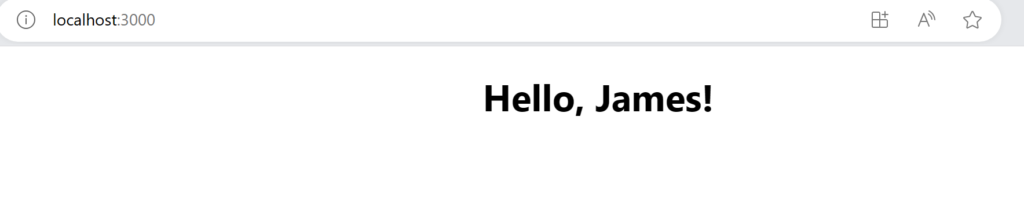
This component will render “Hello, John!” based on the value of the name prop.
Conclusion
Functional components in React are a powerful and versatile way to create user interfaces. With the introduction of React Hooks, they have become the go-to choice for many developers. By simplifying component logic, improving code readability, and enhancing reusability, functional components have revolutionized the way we build web applications with React.
As you explore the world of functional components, you’ll find that they offer a streamlined, efficient, and intuitive approach to modern web development. So dive in, start building with functional components, and experience the power of React Hooks in action!
Related posts:

Powered by YARPP.