State Management in Next.Js
Introduction :
A key component of web development is state management, which enables programmers to manage and synchronize data between various React application components. Understanding state management in the context of Next.js, a flexible React framework, is crucial for developing dependable and expandable web applications. We will explore different approaches to state management in Next.js, including using external state management tools, exchanging state between components, and managing state with React context.
Managing State with React Context:
Understanding React Context:
One built-in feature, React Context, reduces the need to manually pass props down at each level of the component tree in order to pass data. The Provider and the Consumer (also known as the useContext hook) are its two key components. Let’s explore how to use React Context for state management in Next.js:
Creating a Context Provider:
// context/MyContext.js
import { createContext, useState } from 'react';
export const MyContext = createContext();
export const MyProvider = ({ children }) => {
const [myState, setMyState] = useState(initialState);
const updateState = (newState) => {
setMyState(newState);
};
return (
<MyContext.Provider value={{ myState, updateState }}>
{children}
</MyContext.Provider>
);
};
Code language: JavaScript (javascript)Consuming the Context:
// components/MyComponent.js
import { useContext } from 'react';
import { MyContext } from '../context/MyContext';

const MyComponent = () => {
  const { myState, updateState } = useContext(MyContext);

  return (
    <div>
      <p>{myState}</p>
      <button onClick={() => updateState('New State')}>Update State</button>
    </div>
  );
};
Code language: JavaScript (javascript)
3. Wrapping the App with the Provider :
// Page.js or index.js

import MyComponent from "./components/MyComponent";
import { MyProvider } from "./context/MyContext";

export default function Home() {
  return (
    <div>
      <MyProvider>
        <MyComponent />
      </MyProvider>
    </div>
  )
}
Code language: JavaScript (javascript)
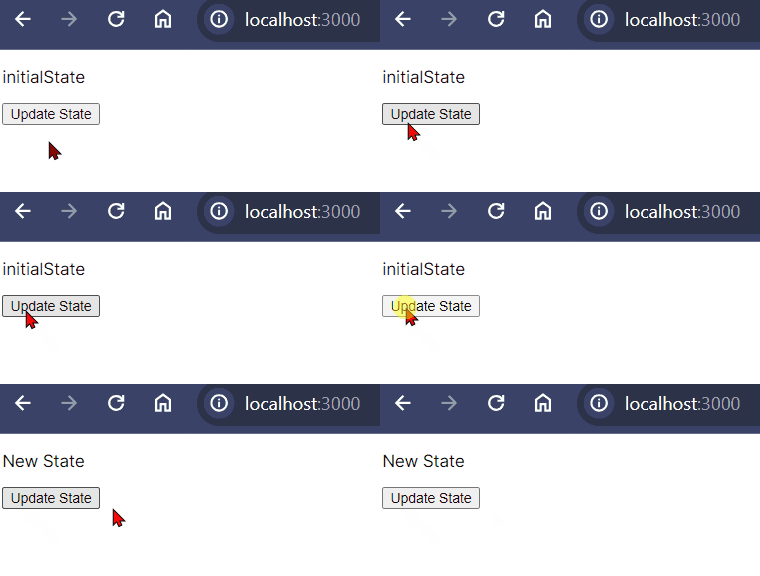
Output :
Using External State Management Libraries :
Redux for Global State Management:
Redux is a popular state management library that provides a predictable state container for JavaScript applications. It’s commonly used in Next.js projects for global state management.
Installing Redux:
npm install redux react-redux
Creating a Redux Store:
// redux/store.js
import { createStore } from 'redux';

const initialState = {
  myState: 'Initial State',
};

const rootReducer = (state = initialState, action) => {
  switch (action.type) {
    case 'UPDATE_STATE':
      return { ...state, myState: action.payload };
    default:
      return state;
  }
};
// Create Store
const store = createStore(rootReducer);

export default store;
Code language: HTML, XML (xml)
Dispatching Actions:
// components/ReduxComponent.js
import { useDispatch, useSelector } from 'react-redux';

const ReduxComponent = () => {
  const dispatch = useDispatch();
  const myState = useSelector((state) => state.myState);

  return (
    <div>
      <p>{myState}</p>
      <button onClick={() => dispatch({ type: 'UPDATE_STATE', payload: 'New State' })}>
        Update State
      </button>
    </div>
  );
};
Code language: HTML, XML (xml)
Creating Provider Component From Client Side :
"use client"
// components/ProviderComponet.js
import React from 'react'
import { Provider } from 'react-redux'
import store from '../redux/store'

const ProviderComponet = ({ children }) => {
    return (
        <div>
            <Provider store={store}>
                {children}
            </Provider>
        </div>
    )
}

export default ProviderComponet;
Code language: JavaScript (javascript)
Wrap Next.js App with Redux Provider
// layout.js or index.js

import { Inter } from 'next/font/google'
import './globals.css'
import ProviderComponet from './components/ProviderComponet'

const inter = Inter({ subsets: ['latin'] })

export const metadata = {
  title: 'Create Next App',
  description: 'Generated by create next app',
}

export default function RootLayout({ children }) {
  return (
    <html lang="en">
      <body className={inter.className}>
        <ProviderComponet>
          {children}
        </ProviderComponet>
      </body>
    </html>
  )
}
Code language: JavaScript (javascript)
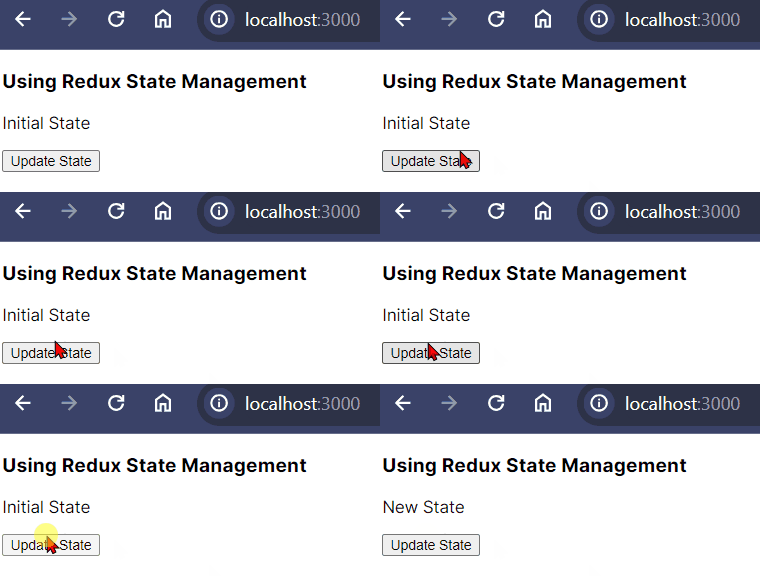
Output :
Sharing State Between Components:
Prop Drilling:
Prop drilling is a common problem in React applications, including those developed with Next.js. It happens when information must flow through multiple levels of the component stack, which could make the code less understandable. We’ll look into prop drilling in relation to Next.js, understand how it affects us, and talk about how to lessen its side effects.
Understanding Prop Drilling:
Prop drilling occurs when a piece of data must be passed down through several layers of nested components, even if some of these components don’t directly use the data. Consider the following example:
// components/Grandparent.js
const Grandparent = ({ data }) => {
  return <Parent data={data} />;
};

// components/Parent.js
const Parent = ({ data }) => {
  return <Child data={data} />;
};

// components/Child.js
const Child = ({ data }) => {
  return <Grandchild data={data} />;
};

// components/Grandchild.js
const Grandchild = ({ data }) => {
  return <p>{data}</p>;
};
Code language: HTML, XML (xml)
In this scenario, the data prop is passed down from Grandparent to Parent, then to Child, and finally to Grandchild. Even though Grandchild is the component that uses the data, it has to receive it through all the intermediate components.
Prop drilling is a common issue in Next.js applications, but it’s important to understand its limitations and take steps to avoid them. Whether you use React Context, external state management, or other strategies, the goal is to improve code maintainability while also promoting a more scalable and efficient application design.
Context API for Shared State:
When developing complicated Next.js apps, effective state sharing between components is critical. The React Context API provides a strong solution for managing and sharing state without the need for prop drilling.
Using Redux for Shared State:
Redux makes it possible for every component to access a global state. This is particularly beneficial for large-scale applications with complicated state requirements.
Conclusion:
In conclusion, Next.js offers various approaches to state management, from the simplicity of React Context to the robustness of external libraries like Redux. The choice of state management strategy depends on the size and complexity of your application. Whether you opt for the ease of React Context, the predictability of Redux, or a combination of both, understanding these state management techniques will empower you to build scalable and maintainable Next.js applications.
Related posts:

Powered by YARPP.