Layouts and Components
In the world of web development, creating beautiful and functional websites is a multidimensional art form. As you embark on your journey to master Next.js, one key aspect that can significantly enhance your web development skills is understanding how to build layouts and reusable components. we’ll explore the art of crafting layouts, delve into the creation of reusable components, and understand the magic of shared components and layout composition in Next.js.
Building Layouts: The Foundation of Web Design
Layouts serve as the backbone of a web page, defining the structure and organization of content. In Next.js, creating layouts is both essential and customizable, giving you the power to design web pages that not only look stunning but also function seamlessly. Let’s dive into the world of layout design.
Custom Layouts in Next.js
Custom layouts are at the core of a well-designed website. They provide a consistent structure for your pages and help maintain a cohesive user experience throughout your site. Next.js makes it easy to create custom layouts. Here’s a simple example:
// components/Layout.js
import React from 'react';
import Head from 'next/head';
const Layout = ({ children, title }) => (
<div>
<Head>
<title>{title}</title>
</Head>
<header>
{/* Your header content */}
</header>
<main>{children}</main>
<footer>
{/* Your footer content */}
</footer>
</div>
);
export default Layout;Code language: HTML, XML (xml)In this example, we’ve created a Layout component that includes a title, header, main content area, and footer. You can wrap your pages with this layout to ensure a consistent structure.
// pages/index.js
import React from 'react';
import Layout from '../components/Layout';

const HomePage = () => (
  <Layout title="Home Page">
    <h1>Welcome to my website</h1>
    <p>Content goes here.</p>
  </Layout>
);

export default HomePage;Code language: HTML, XML (xml)
Output :
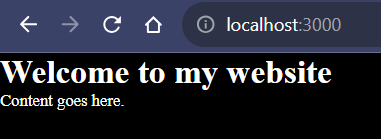
By wrapping your pages with the Layout component, you maintain a unified structure across your site, and any changes to the layout propagate throughout.
Reusable Components: The Building Blocks
Creating reusable components is a hallmark of efficient web development. In Next.js, you can build components that can be used across multiple pages, making your codebase cleaner and more maintainable. Let’s explore the power of reusable components.
Example: Button Component
// components/Button.js
import React from 'react';

const Button = ({ text, onClick }) => (
  <button onClick={onClick}>{text}</button>
);

export default Button;Code language: HTML, XML (xml)
The Button component is a simple example. You can use it on various pages by importing and rendering it. This promotes code reusability and consistency in your design.
Shared Components and Layout Composition
Now, let’s elevate our web development game by understanding the magic of shared components and layout composition. In Next.js, you can use shared components across multiple layouts, and you can creatively combine layouts in various ways with layout composition.
Example: Shared Navigation Component
// components/Navigation.js
import React from 'react';
import Link from 'next/link';

const Navigation = () => (
  <nav>
    <Link href="/">Home</Link>
    <Link href="/about">About</Link>
    <Link href="/contact">Contact</Link>
  </nav>
);

export default Navigation;Code language: HTML, XML (xml)
The Navigation component provides links for navigation and can be used in multiple layouts, ensuring that your navigation structure remains consistent across your site.
Layout Composition
Layout composition involves combining different layouts to create complex web pages. For example, you might have a standard layout for most of your site but need a distinct layout for a specific section.
// components/SpecialLayout.js
import React from 'react';

const SpecialLayout = ({ children }) => (
  <div>
    <header>
      {/* Special header content */}
    </header>
    <main>{children}</main>
    <footer>
      {/* Special footer content */}
    </footer>
  </div>
);

export default SpecialLayout;Code language: HTML, XML (xml)
In this example, SpecialLayout is designed for a unique section of your site. You can use it to wrap specific pages.
// pages/special.js
import React from 'react';
import SpecialLayout from '../components/SpecialLayout';

const SpecialPage = () => (
  <SpecialLayout>
    <h1>Special Section</h1>
    <p>Content for the special section goes here.</p>
  </SpecialLayout>
);

export default SpecialPage;Code language: HTML, XML (xml)
Layout composition allows you to create custom layouts tailored to your content while still using the shared components and maintaining a cohesive design.
Conclusion
Layouts and reusable components are the pillars of efficient and maintainable web development in Next.js. By creating custom layouts, building reusable components, and leveraging shared components and layout composition, you can craft websites that are not only visually appealing but also easy to maintain and scale.
As you continue to explore Next.js, remember that mastering layouts and components is a journey. Experiment, learn, and adapt these concepts to your unique projects. With each layout and component you design, you’re one step closer to becoming a proficient Next.js developer, capable of creating web experiences that stand out and impress.
