HTML – Basic Tags
Here are some basic HTML tags along with examples:
1. <!DOCTYPE html>: This declaration defines the document type and version of HTML you’re using. It should be at the very beginning of your HTML document.
Example:
<!DOCTYPE html>
Code language: HTML, XML (xml)2.<html>: The root element of an HTML document. All other elements are enclosed within this tag.
Example:
<html>
<!-- Your content goes here -->
</html>
Code language: HTML, XML (xml)
3. <head>: This section contains metadata about the webpage, such as the title and links to external resources.
Example:
<head>
    <title>My Webpage</title>
</head>
Code language: HTML, XML (xml)
4. <title>: Sets the title of the webpage, which appears in the browser’s title bar or tab.
Example:
<!DOCTYPE html>
<html>
<head>
    <title>My Webpage</title>
</head>
<body></body>
</html>
Code language: HTML, XML (xml)
Output :

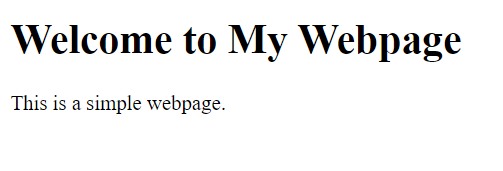
5. <body>: Contains the visible content of the webpage, including text, images, links, and more.
Example:
<!DOCTYPE html>
<html>
<head>
    <title>Body Example</title>
</head>
<body>
        <h1>Welcome to My Webpage</h1>
        <p>This is a simple webpage.</p>
</body>
</html>Code language: HTML, XML (xml)
Output :
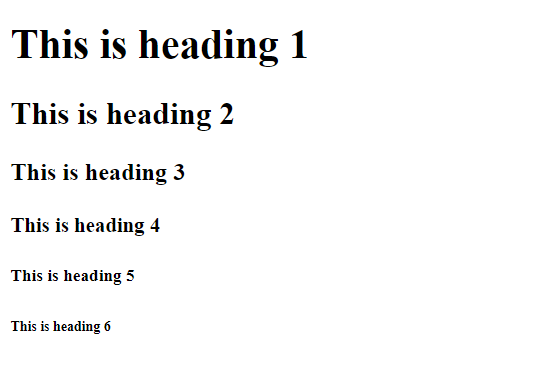
6. <h1>, <h2>, <h3>, …: Heading tags define headings of various levels, with <h1> being the highest level and <h6> the lowest.
Example:
<!DOCTYPE html>
<html>
   <head>
      <title>Heading Example</title>
   </head>
   <body>
      <h1>This is heading 1</h1>
      <h2>This is heading 2</h2>
      <h3>This is heading 3</h3>
      <h4>This is heading 4</h4>
      <h5>This is heading 5</h5>
      <h6>This is heading 6</h6>
   </body>

</html>Code language: HTML, XML (xml)
Output :
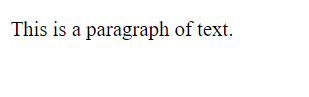
7. <p>: Represents a paragraph of text.
Example:
<!DOCTYPE html>
<html>
<head>
    <title>Paragraph Example</title>
</head>
<body>
    <p>This is a paragraph of text.</p>
</body>
</html>Code language: HTML, XML (xml)
Output :
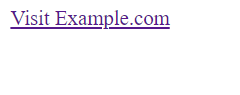
8. <a>: Creates hyperlinks to other web pages or resources.
Example:
<!DOCTYPE html>
<html>
<head>
    <title>Anchor tag Example</title>
</head>
<body>
    <a href="https://www.example.com">Visit Example.com</a>
</body>
</html>Code language: HTML, XML (xml)
Output :
9. <img>: Embeds images in the webpage.
Example:
<!DOCTYPE html>
<html>
<head>
    <title>image Example</title>
</head>
<body>
    <img src="stripes.jpg" alt="A beautiful image" width="300">
</body>
</html>Code language: HTML, XML (xml)
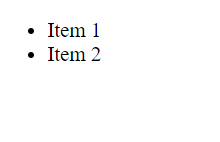
10. <ul> and <li>: Used to create unordered lists with list items.
Example:
<!DOCTYPE html>
<html>
<head>
    <title>List Example</title>
</head>
<body>
    <ul>
        <li>Item 1</li>
        <li>Item 2</li>
    </ul>
</body>
</html>Code language: HTML, XML (xml)
Output :
These are some of the basic HTML tags you can use to structure and format your web content. HTML allows you to combine these tags creatively to create web pages with different types of content and styles.
