---
title: "useState -React Hooks"
url: https://khanwaseem.com/blog/course/usestate
author: "khan Waseem"
published: 2023-10-20
updated: 2023-10-20
topics: ["course", "React Tutorial"]
description: "Explore the power of useState in React, unlocking dynamic state management for responsive and interactive user interfaces."
---
# useState -React Hooks
React, the popular JavaScript library for building user interfaces, has witnessed a significant shift with the introduction of Hooks. Among these Hooks, **`useState` **stands out as one of the most fundamental and versatile.
Table of Contents
[Toggle](#)
- [The Role of useState in Functional Components](#the-role-of-usestate-in-functional-components)
- [Understanding useState](#understanding-usestate)
- [Updating State](#updating-state)
- [Multiple State Variables](#multiple-state-variables)
- [Functional Updates](#functional-updates)
- [Practical Use Cases](#practical-use-cases)
- [Best Practices for useState](#best-practices-for-usestate)
- [Conclusion](#conclusion)
### The Role of useState in Functional Components
In React, state management is crucial for creating dynamic and interactive user interfaces. While class components have traditionally been used for state management, functional components have been gaining prominence, thanks in large part to the **`useState` **Hook.
**`useState` **is a Hook that allows functional components to manage local state. It’s a replacement for the `**this.state**` and `**this.setState**` approach in class components. With `**useState**` , state management becomes more straightforward and concise in functional components.
### Understanding useState
To use `**useState**`, you need to import it from the ‘react’ library:
```javascript
import React, { useState } from 'react';Code language: JavaScript (javascript)
```
The **useState **function takes an initial state as an argument and returns an array containing two elements: the current state and a function to update it. The initial state can be of any data type, such as a number, string, object, or array.
Here’s a simple example of how to use **useState **to manage a counter in a functional component:
```xml
import React, { useState } from 'react';
function Counter() {
// Declare a state variable 'count' with an initial value of 0
const [count, setCount] = useState(0);
return (
Count: {count}
);
}
export default Counter;Code language: HTML, XML (xml)
```
**Output : **
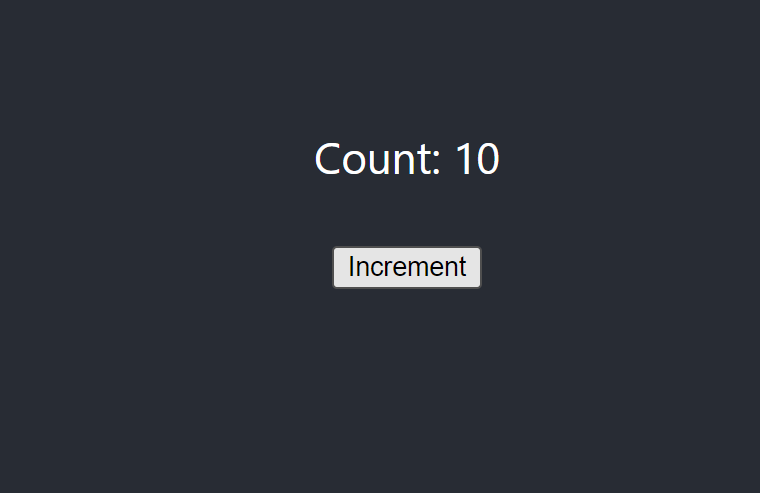
In this example, we declare a state variable **`count` **with an initial value of 0 using **useState**. We then render the current count and a button to increment it. When the button is clicked, the **`setCount` **function is called to update the state.
### Updating State
In React, state is immutable, meaning you can’t directly modify it. To update state, you must use the provided state updater function, which is **`setCount` **in the example above. When **`setCount` **is called, it schedules a re-render of the component with the new state value. React then efficiently updates the DOM to reflect the new state.
### Multiple State Variables
You can use multiple `useState` calls within a single component to manage multiple state variables. For example, you can manage the state of a username and an email input field:
```xml
import React, { useState } from 'react';
function UserForm() {
const [username, setUsername] = useState('');
const [email, setEmail] = useState('');
return (
);
}
export default UserForm;Code language: HTML, XML (xml)
```
**Output : **
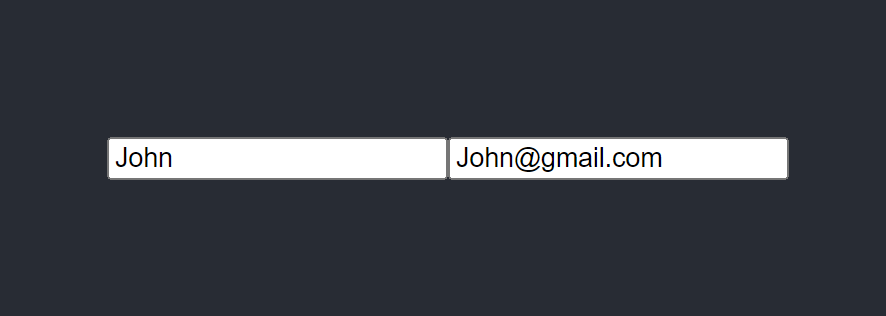
In this example, we use two **useState **calls to manage the state of the `username` and `email` fields in a user form.
### Functional Updates
`useState` also allows you to use functional updates. Instead of passing the new state value directly to the state updater function, you can use a function that receives the current state and returns the new state.
Here’s an example of using functional updates to increment a counter:
```xml
import React, { useState } from 'react';
function Counter() {
const [count, setCount] = useState(0);
const increment = () => {
setCount((prevCount) => prevCount + 1);
};
return (
Count: {count}
);
}Code language: HTML, XML (xml)
```
In this example, the `increment` function uses a functional update to increment the count. This approach is especially useful when the new state depends on the previous state.
### Practical Use Cases
The `useState` Hook is versatile and can be used in a wide range of scenarios:
- **Handling Form Input:** Managing the state of input fields in forms.
- **Toggling UI Elements:** Controlling the visibility or behavior of UI components.
- **Counters and Metrics:** Tracking counts, scores, or other numeric values.
- **UI State:** Managing UI-specific state, such as the active tab in a tabbed interface.
### Best Practices for useState
Here are some best practices for using `useState` effectively:
- **Use Descriptive Variable Names:** Choose variable names that reflect the state they represent. For example, use `count` instead of `x`.
- **Keep State Close to Usage:** Declare state variables as close as possible to where they are used.
- **Use Functional Updates:** When updating state that depends on the previous state, use functional updates to ensure correctness.
- **Group Related State:** If you have multiple state variables related to the same feature, consider grouping them in an object or using a custom Hook.
- **Keep Render Logic Simple:** Separate rendering logic from state management to maintain a clean and readable codebase.
### Conclusion
The `useState` Hook in React brings a new level of simplicity and efficiency to state management in functional components. With `
useState, you can easily declare and update state variables, enabling you to build dynamic and interactive user interfaces. Whether you’re working on a small personal project or a large-scale web application, useState is a fundamental tool in your React development toolkit.
### Related posts:
[React State Management](https://blog.khanwaseem.com/react-state/)
[React Redux](https://blog.khanwaseem.com/react-redux/)
[Custom Hook – React Hook](https://blog.khanwaseem.com/custom-hook-react-hook/)
[useReducer – React Hook](https://blog.khanwaseem.com/usereducer-react-hook/)
Powered by [YARPP](https://yarpp.com).