---
title: "useRef – React Hook"
url: https://khanwaseem.com/blog/course/useref
author: "khan Waseem"
published: 2023-10-20
updated: 2023-10-20
topics: ["course", "React Tutorial"]
description: "Master React’s useRef Hook for direct DOM interaction and value persistence, enhancing your component’s functionality and performance."
---
# useRef – React Hook
React, the JavaScript library for building user interfaces, provides a range of tools to interact with the DOM and manage component state. One such tool is the **useRef **Hook, which enables developers to access and interact with DOM elements directly and persist values between renders.
Table of Contents
[Toggle](#)
- [What is useRef?](#what-is-useref)[The Basics of useRef](#the-basics-of-useref)
- [Accessing DOM Elements](#accessing-dom-elements)
- [Preserving Values Between Renders](#preserving-values-between-renders)
- [Practical Use Cases](#practical-use-cases)
- [Best Practices for useRef](#best-practices-for-useref)
- [Conclusion](#conclusion)
## What is useRef ?
The `useRef` Hook in React serves two primary purposes:
- **Accessing DOM Elements:** You can use **`useRef` **to access and interact with DOM elements directly. This is particularly useful when you need to focus an input, measure an element’s dimensions, or perform other imperative operations on the DOM.
- **Preserving Values Between Renders:** **`useRef` **allows you to persist values across renders without causing re-renders when the value changes. This is in contrast to `**useState**`, which triggers a re-render whenever the state changes.
### The Basics of useRef
To use `**useRef**`, you first need to import it from the ‘react’ library:
```javascript
import React, { useRef } from 'react';Code language: JavaScript (javascript)
```
You can create a **`ref` **object by calling `**useRef()**`:
```javascript
const myRef = useRef();Code language: JavaScript (javascript)
```
The **`myRef` **object is now a reference to the DOM element or any other value you choose to store.
### Accessing DOM Elements
One of the primary use cases for **`useRef` **is accessing and interacting with DOM elements. Consider this example of focusing an input element when a button is clicked:
```javascript
import React, { useRef } from 'react';
function InputFocus() {
const inputRef = useRef();
const handleFocus = () => {
inputRef.current.focus();
};
return (
);
}
export default InputFocus;Code language: JavaScript (javascript)
```
**Output : **
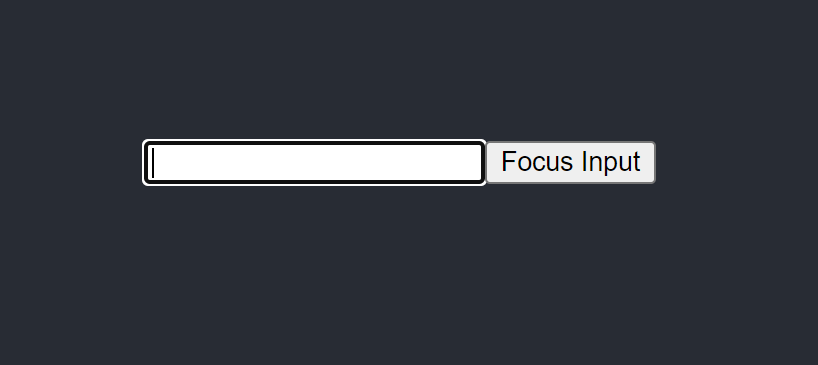
In this example, we create a **`ref` **object using **`useRef` **and attach it to the input element using the **`ref` **attribute. When the “Focus Input” button is clicked, we call `**inputRef.current.focus()**` to focus the input element. This direct interaction with the DOM is made possible by `**useRef**`.
### Preserving Values Between Renders
**`useRef` **also excels at preserving values between renders. Unlike state variables, changes to a **`ref` **object do not trigger re-renders. This is valuable when you need to store a value that doesn’t affect the visual representation of your component.
Here’s an example of using **`useRef` **to keep a count of button clicks without causing re-renders:
```javascript
import React, { useRef, useState } from 'react';
function ClickCounter() {
const clickCount = useRef(0);
const [visible, setVisible] = useState(true);
const handleHide = () => {
setVisible(false);
};
return (
{visible && (
Button clicks: {clickCount.current}
)}
);
}
export default ClickCounter;Code language: JavaScript (javascript)
```
**Output **:
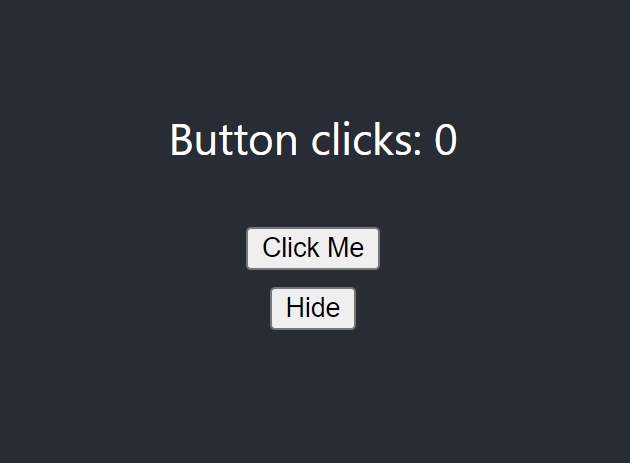
In this example, we use **`useRef` **to store the count of button clicks without causing re-renders. The **`clickCount` **value persists between renders, even when the component re-renders due to the “Hide” button click.
### Practical Use Cases
**`useRef` **offers a wide range of applications in React development:
- **Focusing Inputs:** As demonstrated earlier, you can use **`useRef` **to focus input fields, making it easy for users to start typing without manual clicks.
- **Accessing Third-Party Libraries:** When integrating third-party libraries or using native APIs, **`useRef` **provides a clean way to interact with DOM elements or elements provided by external libraries.
- **Storing Previous Values:** You can use **`useRef` **to store previous values of a variable and compare them for changes in component lifecycle methods.
- **Animations and Transitions:** **`useRef` **is valuable when working with animations or transitions, as you can store values like the previous scroll position or dimensions to control animations smoothly.
### Best Practices for useRef
To make the most of `**useRef**`, consider these best practices:
- **Access DOM Elements with Caution:** When accessing and modifying DOM elements, ensure you do so in a controlled and safe manner to avoid unexpected behavior.
- **Avoid Mutable Updates:** While **`useRef` **allows mutable updates, it’s advisable to use it for read-only access to DOM elements and to avoid mutating values directly.
- **Use It for Non-Reactive State:** Use **`useRef` **when you need to store values that don’t impact the component’s render. For state that causes re-renders, prefer **`useState` **or `**useReducer**`.
- **Clean Up When Necessary:** If your component unmounts or you no longer need the `**ref**`, consider cleaning it up to prevent memory leaks.
### Conclusion
The **useRef **Hook in React provides a powerful and versatile tool for accessing DOM elements, preserving values between renders, and simplifying certain imperative tasks. By understanding how to use `useRef` effectively and following best practices, you can enhance the interactivity and performance of your React components. Whether you’re working on user interfaces, animations, or integrating with external libraries, `useRef` is a valuable addition to your React development toolkit.
### Related posts:
[CSS – Table](https://blog.khanwaseem.com/css-table/)
[HTML – Tables](https://blog.khanwaseem.com/html-tables/)
[CSS – Text](https://blog.khanwaseem.com/css-text/)
[CSS – Pseudo Classes](https://blog.khanwaseem.com/css-pseudo-classes/)
Powered by [YARPP](https://yarpp.com).