---
title: "useCallback Hook -React"
url: https://khanwaseem.com/blog/course/usecallback-hook-react
author: "khan Waseem"
published: 2023-10-27
updated: 2023-10-27
topics: ["course", "React Tutorial"]
description: "Optimize React app performance with the useCallback hook: Learn to memoize event handlers and callbacks for more efficient and responsive user interfaces."
---
# useCallback Hook -React
Table of Contents
[Toggle](#)
- [Introduction:](#introduction)[Understanding the useCallback Hook](#understanding-the-usecallback-hook)
- [Core Concepts](#core-concepts)[1. Function Memoization](#1-function-memoization)
- [2. Dependency Array](#2-dependency-array)
- [Use Cases](#use-cases)[1. Preventing Unnecessary Re-renders](#1-preventing-unnecessary-re-renders)
- [2. Optimizing Event Handlers](#2-optimizing-event-handlers)
- [Development Issue](#development-issue)[1. Using an Empty Dependency Array](#1-using-an-empty-dependency-array)
- [2. Excessive Use of useCallback](#2-excessive-use-of-usecallback)
- [Conclusion](#conclusion)
## Introduction:
React, a powerful JavaScript library for building user interfaces, provides a range of tools and techniques to enhance the performance of your applications. Among these tools is the **useCallback **hook, a valuable asset in your React development toolkit. we will explore the **`useCallback` **hook in depth, understand its purpose, and provide practical examples of how to use it effectively to optimize event handlers and callbacks.
### Understanding the useCallback Hook
The **`useCallback` **hook is designed to address a common issue in React: unnecessary re-renders caused by the recreation of event handlers and callbacks. When a function is recreated on every render, it can lead to performance bottlenecks, especially in components that depend on these functions. The **`useCallback` **hook helps mitigate this problem by memoizing functions, ensuring they remain the same between renders unless their dependencies change.
### Core Concepts
#### 1. Function Memoization
Memoization, in the context of `**useCallback**`, means caching a function and reusing it when possible. Instead of creating a new function with each render, **`useCallback` **ensures that the same function instance is returned as long as its dependencies remain unchanged.
#### 2. Dependency Array
The **`useCallback` **hook accepts a dependency array as its second argument. This array lists the values that the callback function depends on. The function gets recreated when any of these dependencies change, but it’s reused when the dependencies stay the same.
### Use Cases
Now, let’s dive into some practical use cases where the **`useCallback` **hook shines.
#### 1. Preventing Unnecessary Re-renders
In scenarios where a child component relies on a callback from a parent component, recreating the callback function on every render can lead to unnecessary re-renders. By using `**useCallback**`, you can ensure that the callback remains consistent, reducing unnecessary component updates.
```xml
import React, { useCallback } from 'react';
function ParentComponent() {
const handleChildClick = useCallback(() => {
// Handle the click event
}, []);
return ;
}Code language: HTML, XML (xml)
```
In this example, the **`handleChildClick` **function is memoized using `**useCallback**`, ensuring it remains the same between renders unless its dependencies change.
#### 2. Optimizing Event Handlers
React components frequently employ event handlers, and recreating an event handler during each render can result in inefficient rendering. By memoizing event handlers with `**useCallback**`, you optimize the performance of your components.
```xml
import React, { useState, useCallback } from 'react';
function Counter() {
const [count, setCount] = useState(0);
const increment = useCallback(() => {
setCount(count + 1);
}, [count]);
return (
);
}Code language: HTML, XML (xml)
```
**Output : **
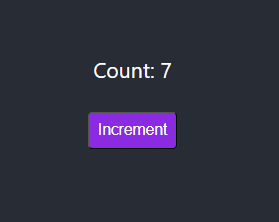
In this example, the **`increment` **event handler is memoized with **`useCallback` **to prevent unnecessary re-creation and rendering.
### Development Issue
While `useCallback` is a valuable tool, there are some common pitfalls to be aware of:
#### 1. Using an Empty Dependency Array
Using an empty dependency array **(`[]`)** with **`useCallback` **means the function never changes, which is not always the desired behavior. Be cautious when determining the contents of the dependency array to avoid unintended side effects.
#### 2. Excessive Use of useCallback
Using **`useCallback` **for every function in your component can lead to over-optimization. Only apply **`useCallback` **to functions that are likely to cause re-renders and avoid it for functions that don’t.
### Conclusion
The **useCallback **hook in React is a powerful tool for optimizing event handlers and callbacks, preventing unnecessary re-renders, and improving the overall performance of your applications. By understanding the core concepts, identifying use cases, and being mindful of potential pitfalls, you can master the **useCallback **hook and use it effectively in your React projects.
With **useCallback **at your disposal, you can ensure that your React components remain responsive, efficient, and performant, providing users with a smooth and enjoyable experience.
### Related posts:
[React State Management](https://blog.khanwaseem.com/react-state/)
[useEffect React Hooks](https://blog.khanwaseem.com/react-hooks-useeffect/)
[React Redux](https://blog.khanwaseem.com/react-redux/)
[Optimizing Performance](https://blog.khanwaseem.com/performance/)
Powered by [YARPP](https://yarpp.com).