---
title: "Lists and Keys"
url: https://khanwaseem.com/blog/course/lists-and-keys
author: "khan Waseem"
published: 2023-10-23
updated: 2023-10-23
topics: ["course", "React Tutorial"]
description: "Learn how to efficiently render lists of data in React and grasp the importance of using keys to optimize rendering, enhancing performance and user experience."
---
# Lists and Keys
In the world of web development, working with lists of data is a common task. Whether you’re building a to-do list, an e-commerce product catalog, or a social media feed, you’ll often find yourself dealing with lists of items that need to be rendered in your web application. React, a popular JavaScript library for building user interfaces, provides a powerful way to work with lists, and one key concept to master is the use of keys.
Table of Contents
[Toggle](#)
- [Rendering Lists of Data in React](#rendering-lists-of-data-in-react)
- [The Importance of Keys in List Items](#the-importance-of-keys-in-list-items)
- [Key Rules and Best Practices](#key-rules-and-best-practices)
- [Common difficulty](#common-difficulty)
- [Conclusion](#conclusion)
## Rendering Lists of Data in React
React excels at rendering dynamic data, and lists are a prime example of this. Whether you’re working with an array of items fetched from an API or you want to display a collection of components, React provides a straightforward way to map through the data and render it as a list.
Let’s start with a basic example. Imagine you have an array of items, and you want to render each item as a list item in your component. Here’s how you can achieve that in React:
```xml
import React from 'react';
function ListComponent() {
const items = ['Item 1', 'Item 2', 'Item 3'];
return (
{items.map((item, index) => (
- {item}
))}
);
}
export default ListComponent;Code language: HTML, XML (xml)
```
**Output : **
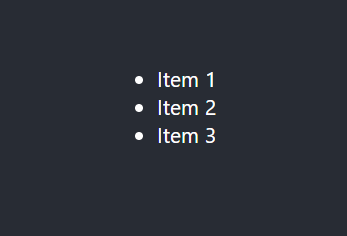
In this example, we have an array **`items` **that contains three items. We use the **`map` **function to iterate over the array and create a list item (`****`) for each item. Notice the use of the **`key` **prop with the value of `**index**`. This is where keys come into play, and we’ll explore their significance shortly.
## The Importance of Keys in List Items
In React, each element in a list should have a unique **`key` **prop. This **`key` **is used by React to efficiently update and re-render the list when items change, are added, or removed. Keys help React identify which items have changed and minimize the re-rendering process, resulting in improved performance and a smoother user experience.
Let’s dive deeper into the importance of keys with a real-world scenario.
Imagine you’re working on a chat application. You have a list of chat messages that you want to display. Each message is an object with properties like `**id**`, `**sender**`, and `**content**`. To render these messages efficiently, you can use the **`id` **property as the key. Here’s an example:
```xml
import React from 'react';
function ChatComponent() {
const messages = [
{ id: 1, sender: 'Alice', content: 'Hello there!' },
{ id: 2, sender: 'Bob', content: 'Hi, Alice!' },
// ... more messages ...
];
return (
{messages.map((message) => (
-
{message.sender}: {message.content}
))}
);
}
export default ChatComponent;Code language: HTML, XML (xml)
```
**Output : **

In this example, each message in the **`messages` **array has a unique **`id` **property. We use this **`id` **as the **`key` **when rendering the list of chat messages. By doing so, React can efficiently track and update individual messages in the list without re-rendering the entire list every time a new message arrives.
## Key Rules and Best Practices
When working with keys in React, keep the following rules and best practices in mind:
- **Keys must be unique within the same list:** Every key should be unique among its siblings in the same list. Avoid using non-unique keys, as it can lead to unexpected behavior.
- **Use stable and predictable keys:** While it’s tempting to use the array index as the key, this is not recommended if the list can change over time. It’s better to use a unique and stable identifier from your data whenever possible.
- **Keys are for React, not for your app:** Keys are used by React internally to optimize rendering. They are not meant to be accessed or used by your application’s logic.
- **Avoid changing keys:** Once a key is assigned, it should not change. Changing keys can confuse React and lead to errors.
- **Consider using library functions:** If your data doesn’t have unique keys, consider using library functions like `uuid` to generate stable and unique keys.
## Common difficulty
Working with keys in React lists can sometimes be tricky, and there are common pitfalls to watch out for:
- **Using the index as the key:** While using the array index as the key is a quick solution, it can lead to problems when items are added, removed, or reordered. React may not be able to distinguish between items effectively, leading to unexpected rendering issues.
- **Not having a key:** Forgetting to assign a key to list items is a common mistake. If keys are missing, React can’t efficiently track and update individual items, and this may result in performance problems.
- **Changing keys:** Changing keys dynamically, especially when the list is updated, can lead to issues. React expects keys to be stable for the same element across renders.
## Conclusion
Understanding how to work with lists and keys in React is essential for building efficient and performant user interfaces. By assigning unique keys to list items, you enable React to optimize the rendering process, resulting in better performance, smoother updates, and an overall enhanced user experience.
Whether you’re working on a simple to-do list or a complex chat application, the principles of handling lists and keys remain the same. Always strive to use stable and unique keys based on the data you have. With this knowledge, you’ll be better equipped to create dynamic and responsive web applications in React.
In summary, when it comes to lists and keys in React:
- Lists are an integral part of many web applications.
- React’s `key` prop is essential for optimizing the rendering of lists.
- **Keys **should be unique, stable, and based on the data you have.
- Avoid common pitfalls, such as using the index as the key or changing keys dynamically.
By applying these principles and best practices, you’ll harness the full power of React when working with lists, resulting in more efficient and user-friendly applications.
### Related posts:
[What is RabbitMQ?](https://blog.khanwaseem.com/what-is-rabbitmq/)
[CSS – Flex](https://blog.khanwaseem.com/css-flex/)
[CSS Grid](https://blog.khanwaseem.com/css-grid-layout/)
[JavaScript – Arrays](https://blog.khanwaseem.com/javascript-arrays/)
Powered by [YARPP](https://yarpp.com).