---
title: "CSS – Paged Media"
url: https://khanwaseem.com/blog/course/css-paged-media
author: "khan Waseem"
published: 2023-09-18
updated: 2023-09-18
topics: ["course", "CSS Tutorial"]
description: "Enhance user experience with CSS paged media styles for print and PDFs. Control page size, margins, breaks, headers, and more for professional content output."
---

# CSS – Paged Media

In CSS, “paged media” refers to the concept of styling content specifically for print or other paginated formats. It allows web designers to control how web pages appear when printed or saved as PDFs. Paged media styles ensure that the content is well-structured, readable, and visually appealing on physical paper or in digital documents.

Here are some key aspects of CSS paged media:

- **Page Size:** Designers can define the size of printed pages using CSS properties like `size`, `width`, and `height`. Common page sizes include A4, letter, legal, and custom dimensions.

- **Margins:** CSS allows for precise control over page margins, ensuring that content is correctly aligned on printed pages. Margins can be adjusted using properties like `margin` and `margin-top`, `margin-bottom`, `margin-left`, and `margin-right`.

- **Page Breaks:** To prevent awkward page breaks within content, CSS provides properties like `page-break-before` and `page-break-after`. Designers can specify where page breaks should occur, such as before headings or paragraphs.

- **Headers and Footers:** CSS enables the creation of custom headers and footers for printed pages using the `@page` rule. Designers can include page numbers, document titles, and other relevant information in headers and footers.

- **Page Counters:** Page counters help display page numbers on printed pages, allowing readers to navigate through multi-page documents with ease. CSS properties like `content` and `counter-increment` are used to implement page counters.

- **Orphans and Widows:** CSS properties like `orphans` and `widows` control how many lines of text are allowed to appear at the beginning or end of a printed page, preventing single lines from being stranded on separate pages.

**Example : **

CSS Paged Media features allow you to control the layout and styling of printed pages when a web page is printed. Here’s an example of how to use CSS Paged Media in an HTML document:

```xml
<!DOCTYPE html>
<html>
<head>
    <style>
        /* Common styles for all media types */
        body {
            font-family: Arial, sans-serif;
            font-size: 16px;
        }

        /* Styles for printed pages using @media print */
        @media print {
            /* Page size and margins */
            @page {
                size: A4; /* Page size, e.g., A4 */
                margin: 20mm; /* Page margins (top, right, bottom, left) */
            }

            /* Page header */
            @page {
                margin-top: 40mm; /* Adjust the top margin for the header */
                content: "Page " counter(page); /* Page numbering in header */
            }

            /* Page footer */
            @page {
                margin-bottom: 20mm; /* Adjust the bottom margin for the footer */
                content: "Copyright © 2023 Your Company"; /* Footer content */
            }

            /* Page-specific styles */
            body {
                background-color: #ffffff; /* White background for printed pages */
            }
        }
    </style>
</head>
<body>
    <h2>CSS Paged Media Example</h2>
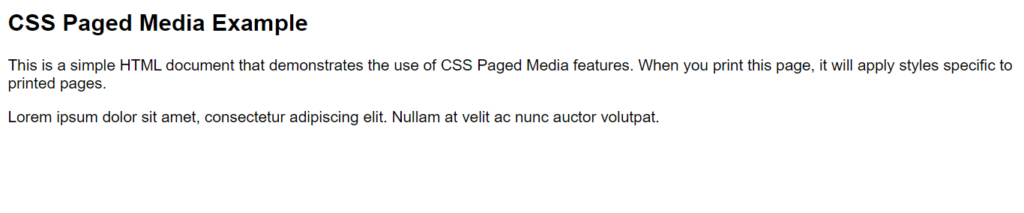
    <p>This is a simple HTML document that demonstrates the use of CSS Paged Media features. When you print this page, it will apply styles specific to printed pages.</p>

    <!-- Example content -->
    <p>Lorem ipsum dolor sit amet, consectetur adipiscing elit. Nullam at velit ac nunc auctor volutpat.</p>
</body>
</html>Code language: HTML, XML (xml)
```

**Output : **
![](https://blogkhanwaseem.s3.amazonaws.com/uploads/2023/09/18144952/image-147-1024x213.png)

**In this example:**

- We have a basic HTML document with a heading (`<h2>`) and a paragraph (`<p>`).

- Inside the `<style>` element, we define common styles for all media types, such as font family and font size.

- We use the `@media print` rule to define styles specific to printed pages. Within this rule:

- `@page` rules define the page size and margins. We set the page size to A4 and adjust the top and bottom margins for header and footer content.

- We specify content for the page header and footer using the `content` property within `@page` rules. In this case, we include page numbering in the header and a copyright notice in the footer.

- We also specify page-specific styles for the `body`, such as a white background color for printed pages.

When you print this HTML document using a web browser’s print functionality, the printed output will follow the rules specified in the `@media print` block. This allows you to customize the layout, margins, and content of printed pages to meet your specific needs.

CSS paged media styles are crucial for ensuring that web content maintains its readability and professionalism when presented in print or digital document formats. They offer web designers the tools to create consistent and aesthetically pleasing printed materials, making it easier for users to consume and share web content in different contexts.

### Related posts:

[CSS – Margin](https://blog.khanwaseem.com/css-margin/)
[CSS – Table](https://blog.khanwaseem.com/css-table/)
[CSS – @ Rules](https://blog.khanwaseem.com/css-rules/)
[CSS – Text](https://blog.khanwaseem.com/css-text/)

Powered by [YARPP](https://yarpp.com).
